If it is confirmed that a schedule is not executing either due to not receiving emails associated with the process or because the result files are not updated, it must be checked if any of these causes could have stopped or saturated the scheduler (DCServer):
Cause 1
DataCycle Server has closed on the machine that executes it constantly (24x7) and has not started again.
Cause 2
DataCycle Server runs as a service and it is stopped. Check in Windows services if the "DataCycle Server" service is in "Started" status and if the mode is "Automatic". If its status is "Stopped" click "Start" in the top button bar.
To access Windows services follow the steps Start > Administrative Tools > Services
Cause 3
DataCycle Server runs as a service and this is stopped. Check in Windows services if the "DataCycle Server" service is in "Started" status and if the mode is "Automatic". If its status is "Started" check from the Datacycle Reporting client application if it responds to requests: Menu Tools > Monitor all servers, modify the schedule of the trace to show, if no activity appears, you can execute a process (as a test) on the server (server icon) and if it remains waiting, return to Windows services administration and click "Restart" in the top button bar.
This situation requires reviewing different scenarios to prevent these crashes from repeating:
Scenario 3.1
The repository is of MS Access type and the connection path to it contains a mapped network drive ( S:\ , R:\ ....)
In this scenario, it is advisable to modify the path to UNC nomenclature or place a physical path (C:\ drive)
Scenario 3.2
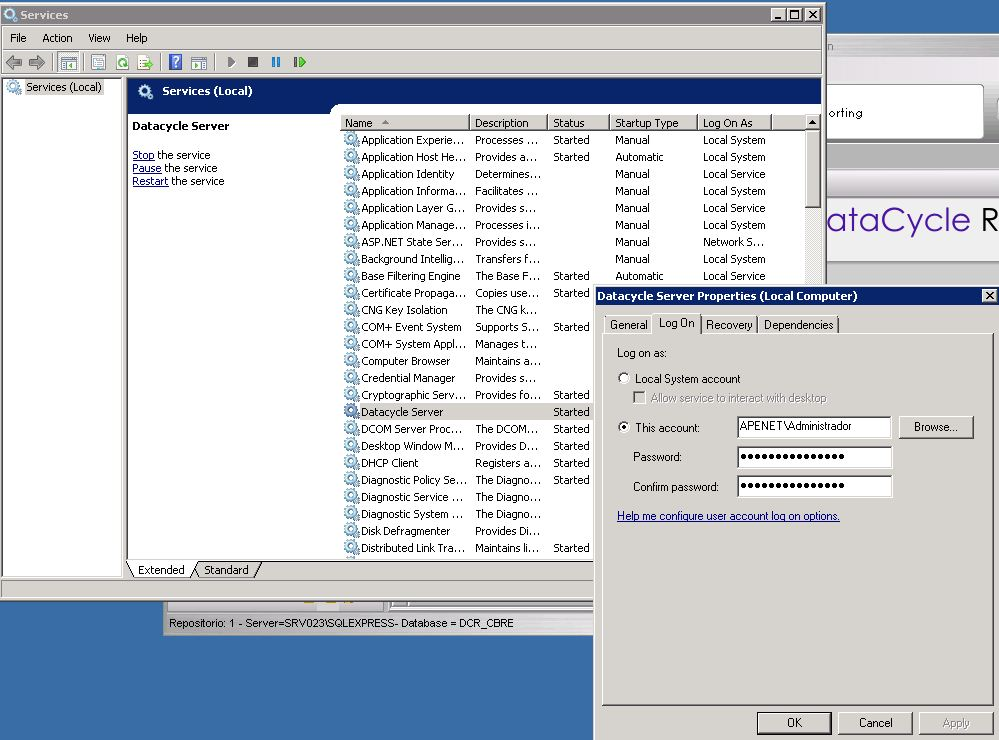
The identity that has been defined to start the service is a Windows user without a DataCycle Reporting profile, that is, they have never executed DCR, and when trying to execute DCServer it cannot obtain basic DC parameters. The solution would be to log in to Windows with that user and start DCReporting.
Scenario 3.3
The Windows user that is defined as the one who starts the service has changed their password or is not valid.
Scenario 3.4
The repository is of the MS SQL Server type and the DB resides on the same equipment where DCServer resides. What may happen is that the MSSQLServer engine or some of its communication services start after DCServer when there is a system crash.
In this case it is necessary to review with the IT area if we can modify the boot order of the services. Or establish a dependency on the DataCycle Server service
To modify the dependencies of a service, you must access the Windows registry, it is advisable to perform this type of action in a supervised manner by the IT department of your organization. The value to modify corresponds to this registry path:
HKEY_LOCAL_MACHINE\SYSTEM\CurrentControlSet\services\servicename\DependOnService
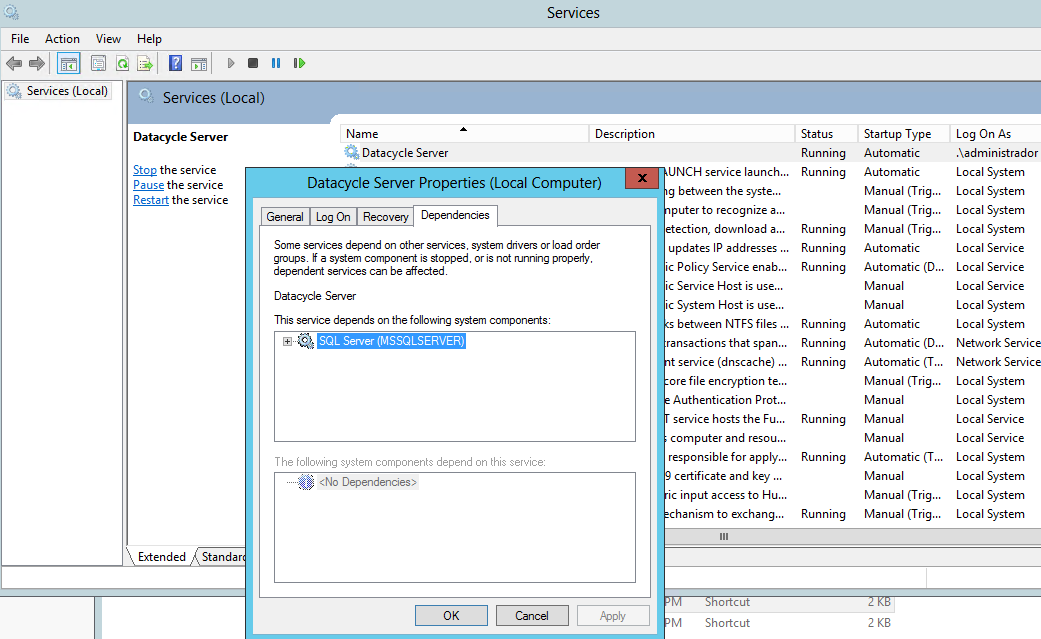
If the key does not exist, it has to be created of the Multi-String type and assign the value of the service "MSSQLSERVER"
And by doing so it should be seen in the Dependencies tab:
Cause 4
We check that the DataCycle Server is running either as an application or as a service, but the jobs launched in real time or the scheduled tasks that should have been executed are not running. When monitoring its current status, we see numerous attempts to run scheduled tasks that have been postponed because the DCServer engine is busy.
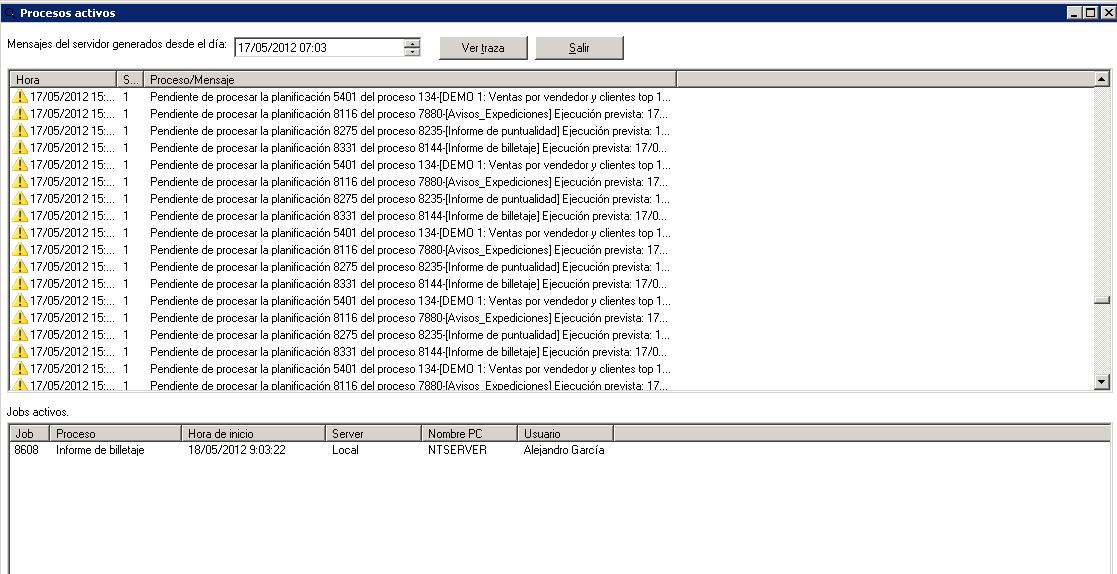
In this case, you need to identify why the active JOB is taking so long to run. Likely causes are usually errors in Excel macros or in SQL queries.
Was this article helpful?
That’s Great!
Thank you for your feedback
Sorry! We couldn't be helpful
Thank you for your feedback
Feedback sent
We appreciate your effort and will try to fix the article