Requirements to Install MSOLEDBSQL 19 (OLE DB Driver for SQL Server)
1. Install MSOLEDBSQL 19 Driver
Download the official installer from Microsoft Learn:
? Download Microsoft OLE DB Driver for SQL Server [learn.microsoft.com]
For 32-bit applications, use the x86 installer (msoledbsql.msi).
2. Prerequisite: Visual C++ Redistributable
Starting from version 19.3, the following component is required:
- Microsoft Visual C++ Redistributable for Visual Studio 2022, version 14.34 or higher.
- For 32-bit applications, install
vc_redist.x86.exe.
You can download the redistributables from:
? Latest supported Visual C++ Redistributable downloads [learn.microsoft.com]
Example Connection String
Provider=MSOLEDBSQL;Server=192.168.1.100;Database=MiBaseDeDatos;Uid=usuarioSQL;Pwd=ContraseñaSegura123!;TrustServerCertificate=yes;
In DataCycle Reporting
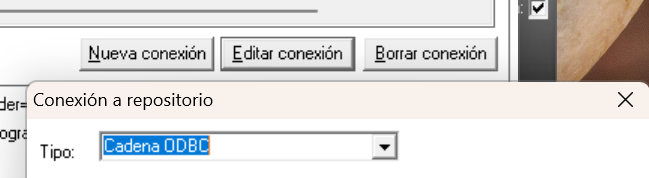
On the Login screen, define this connection string using the "ODBC String" option.
Was this article helpful?
That’s Great!
Thank you for your feedback
Sorry! We couldn't be helpful
Thank you for your feedback
Feedback sent
We appreciate your effort and will try to fix the article